 BOOKING STUDIO
14 October 2026
A main photo that changes with the seasons
You can now upload several photos to the website header and the system rotates them. Winter photos in winter, summer photos in summer.

The main photo is the first thing guests see on your website. Now you can upload several and the system picks one each time the page loads. The website feels livelier and returning guests do not see the same picture over and over.
Summer and winter photos
Switch on “Distinguish summer and winter photos” and your photos are split into three groups: summer, winter and all year. You move them between the groups by dragging with the mouse, or with your finger on a phone. Winter photos are shown from November to April, summer photos the rest of the year. Photos in the all-year group are always shown.
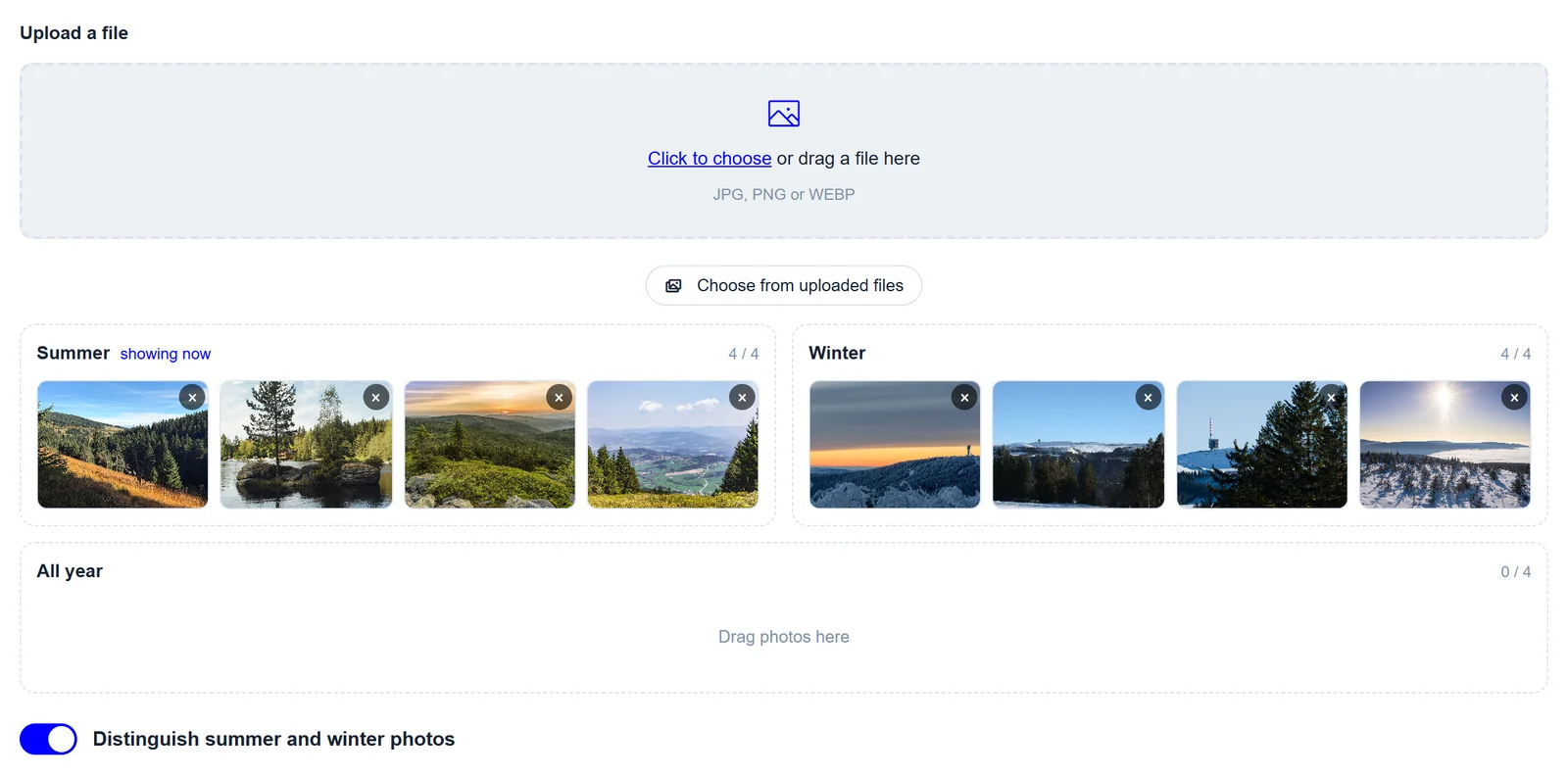
How to upload the photos
In the admin, open the Design tab and upload photos under the main image, several at once if you like. Each group holds four. That is enough for the pictures to rotate while only the best ones stay on your website.
The rest of the header stays the same. The name, the address and the weather stay where they are, only the photo underneath changes.