 BOOKING STUDIO
16 August 2026
E-mails that match your website
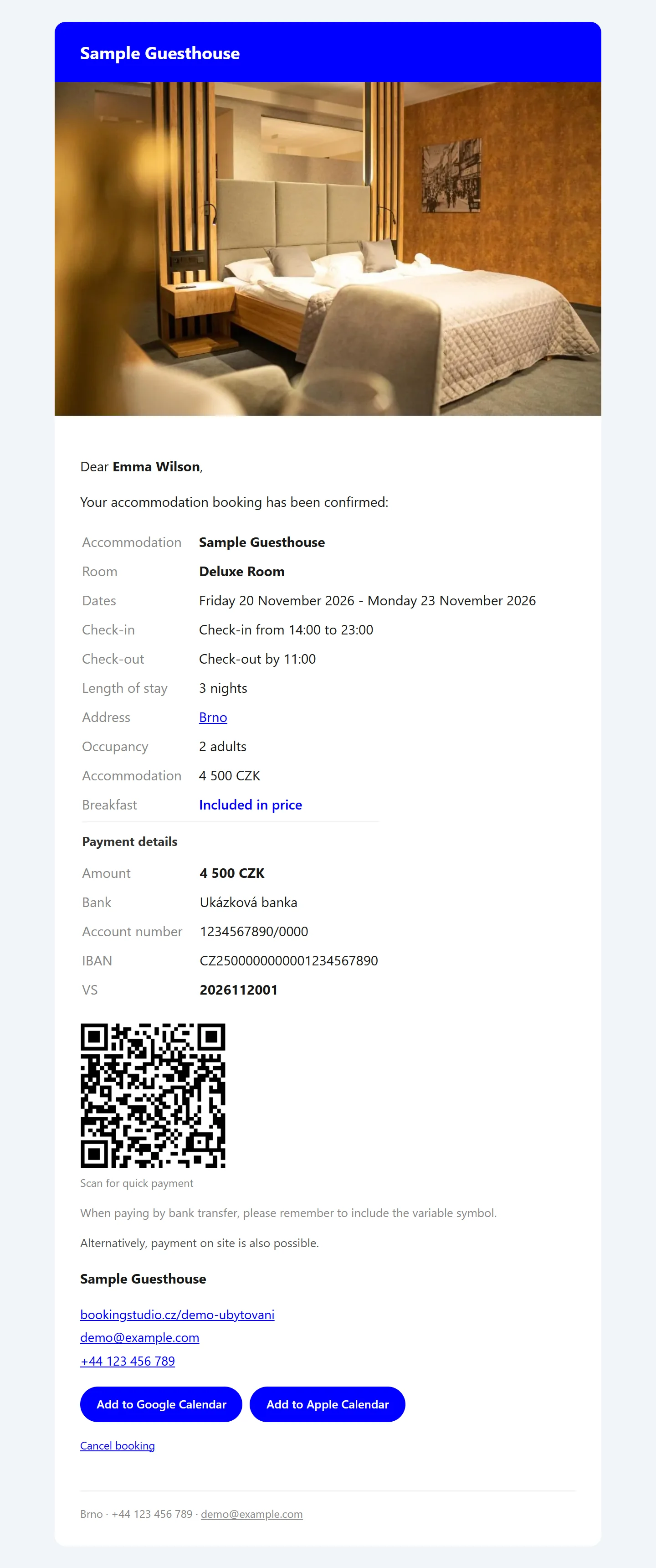
Booking confirmations and other messages from the system have a new look: a bar with your name, a photo and a footer with your contact details.
The booking confirmation is often the first message a guest receives from you. That is why we have given the e-mails from the system a look that matches your website.
What the guest sees in the e-mail
- A bar at the top with the name of your accommodation in your website colour.
- A photo of the room the guest has booked.
- A footer with your address and phone number.
The confirmation the guest receives:
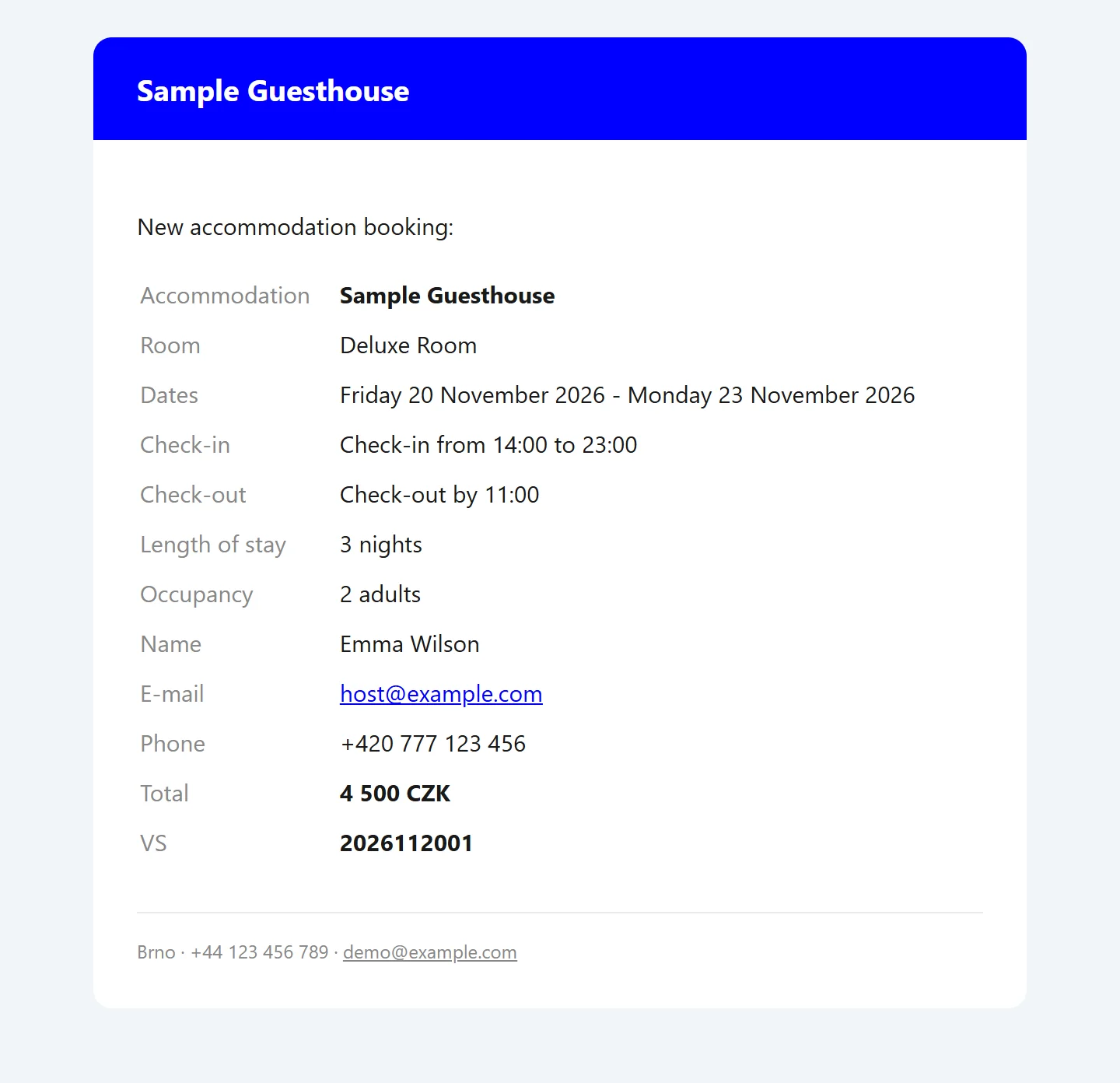
The new booking notification you receive:
It applies to every message
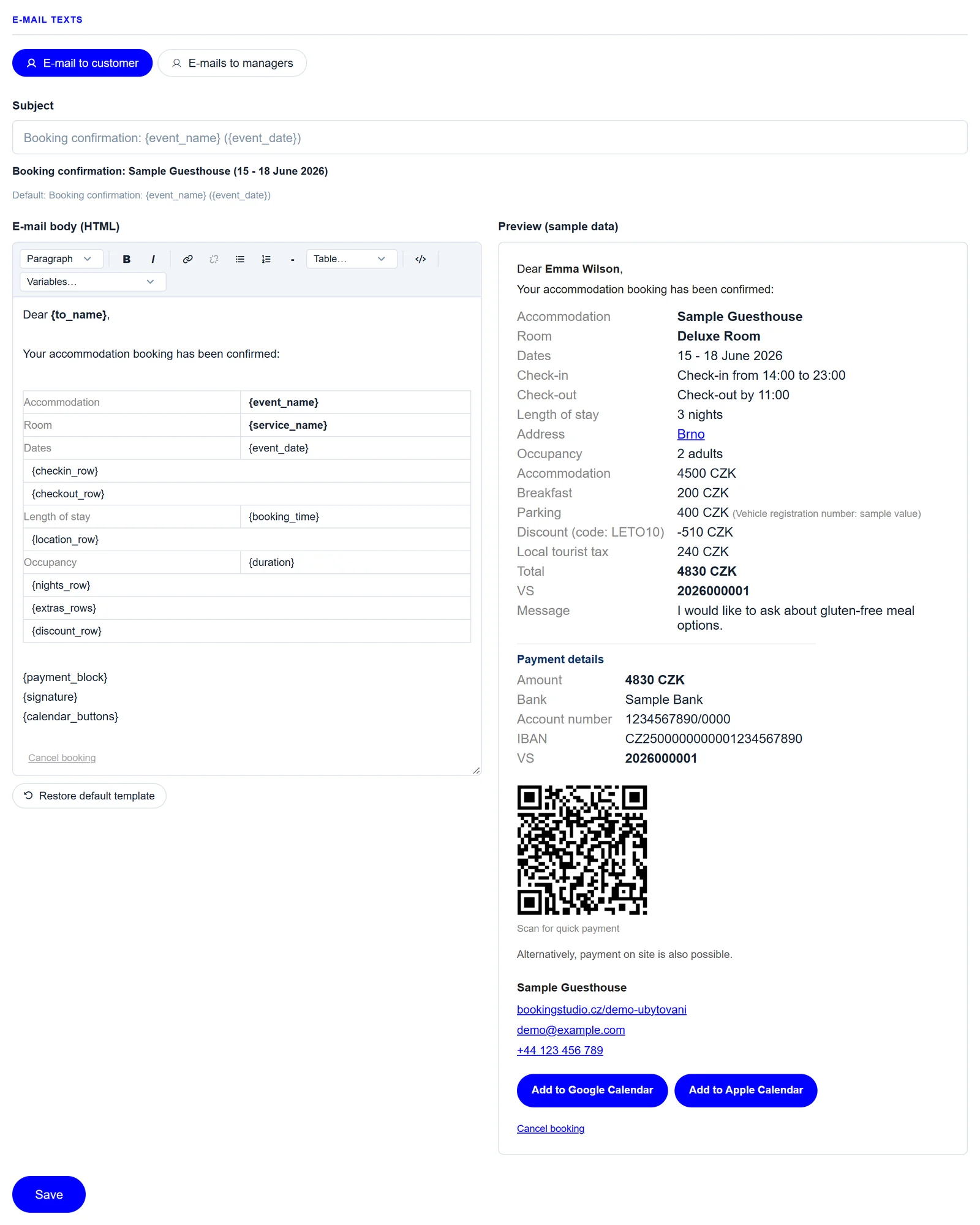
Every e-mail the system sends gets the new look, from the booking confirmation to the reminder. You keep editing the message texts in the admin in the E-mails tab, and the system takes care of the look.
In the language of the booking
E-mails go out in the language the guest booked in. Each language has its own texts, which you edit after switching the language in the admin.
The e-mails are built to display correctly even in Outlook, which traditionally struggles with e-mail design.